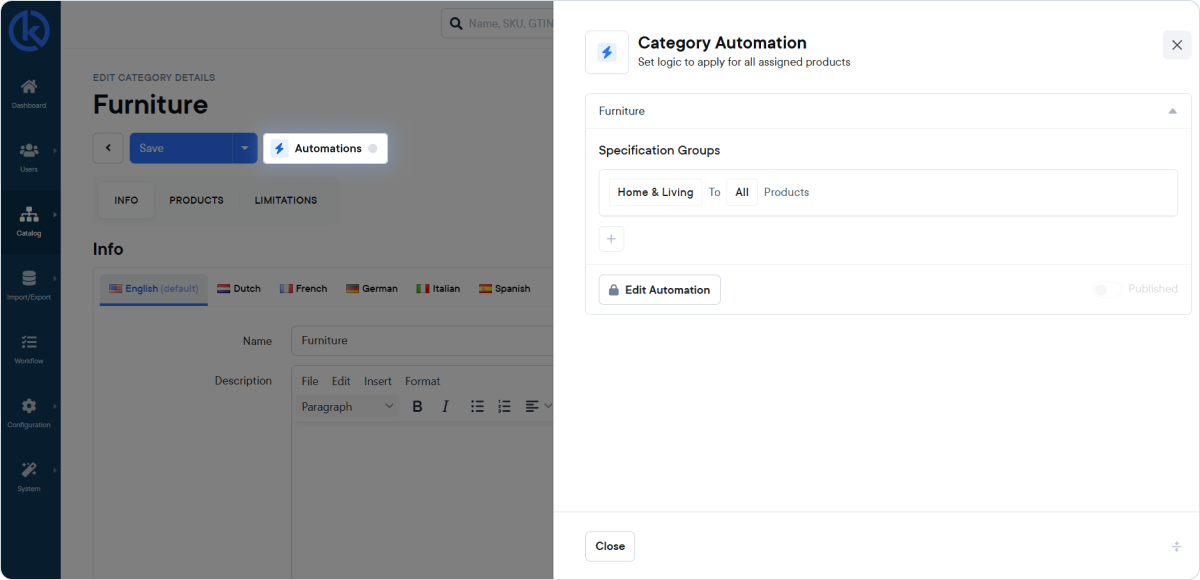
You can now automatically assign specification groups to products based on their category. Instead of manually linking specification groups per product, you define this once at the category level. When a product is assigned to that category, the correct specification groups are applied automatically.
Category Automations follow the category hierarchy, meaning automations set on parent categories are inherited by child categories. This ensures consistent and structured product data across your catalog.
Want to learn more? Check the documentation
Users now see the maximum allowed file size when uploading attachments, along with validation feedback if the file exceeds the limit. The file size limit has been set to 30MB.
This helps prevent failed uploads and provides better guidance during the process.
It is now possible to use Okta as a Single Sign-On (SSO) solution to log in to KatanaPIM. This allows users to securely access the platform using their existing identity provider.
For now, SSO via Okta can be enabled by contacting support@katanapim.com. More SSO options will be added in the future.
Password requirements have also been updated. Passwords must now comply with a maximum number of characters.


