Validate
Updated on:
March 3, 2026

Users

A User is an individual person who has access to your KatanaPIM environment.

Each user has:

  • First name
  • Last name
  • Email address (used as login name)
  • Password
  • Assigned User Role

Users should always represent real individuals within your organization.
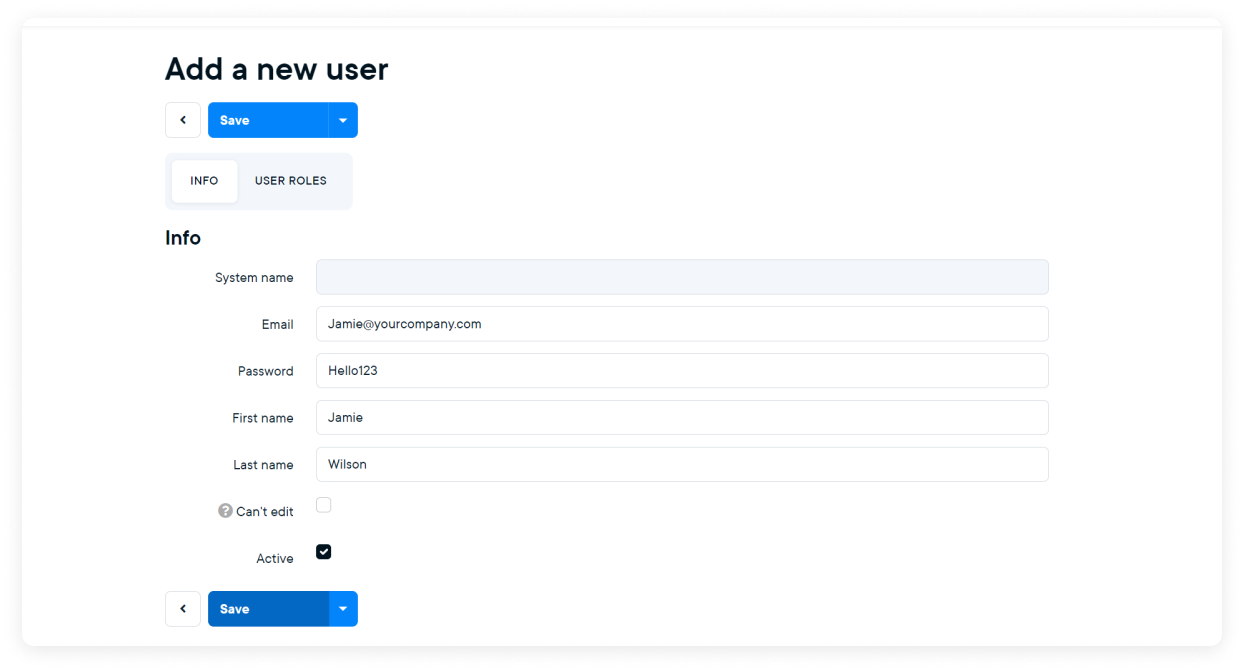
Creating a new user

  1. Go to Menu > Users > Users
  2. Click Add New User
  3. Enter:
    • Email
    • Password
    • First name
    • Last name
  4. Assign the correct User Role
  5. Click Save

The user can now log in using their credentials.

User impersonation

To verify whether a user is set up correctly:

  1. Go to Menu > Users > Users
  2. Open the user
  3. Click Impersonate User

You will now see the system exactly as that user sees it. This is helpful for validating permissions and navigation access.

Part of:
© KatanaPIM
DisclaimerSitemap