Besides via imports, there are two ways to assign categories to a product in KatanaPIM:
Both methods result in the same outcome. The difference is where you start.
This method is ideal when you want to manage multiple products within a specific category.
A selection panel opens on the right side.
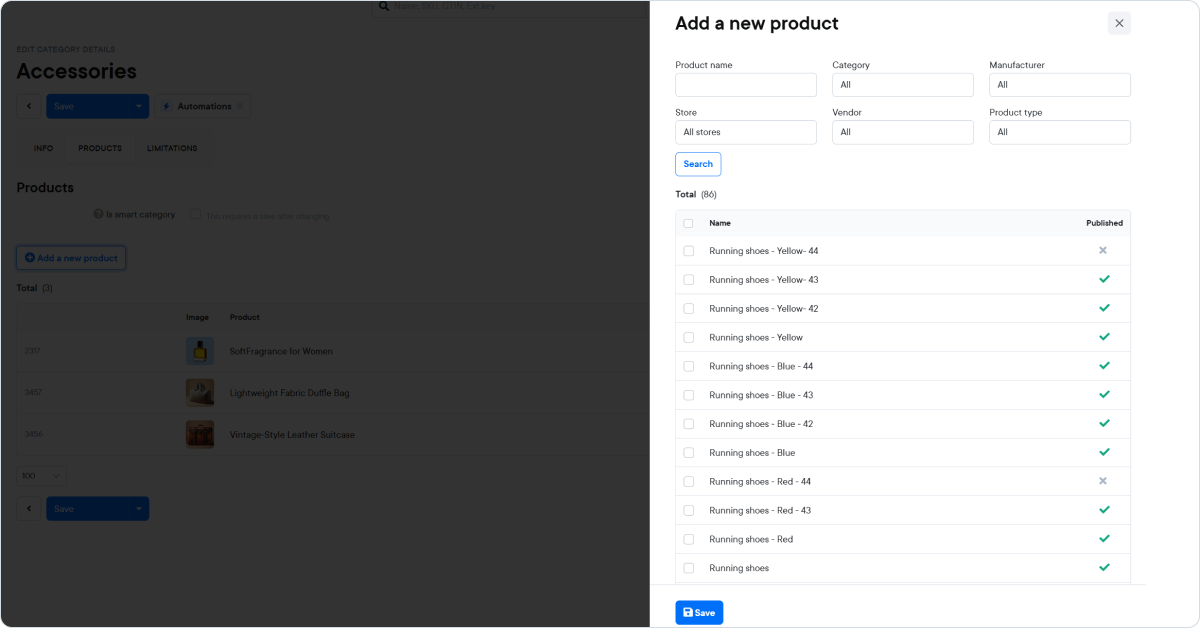
Inside the selection panel, you can narrow down products using filters such as:
Click Search to update the results.
You can then:
After selecting the desired products:
The selected products are now assigned to the category.
This method is ideal when you are editing an individual product.
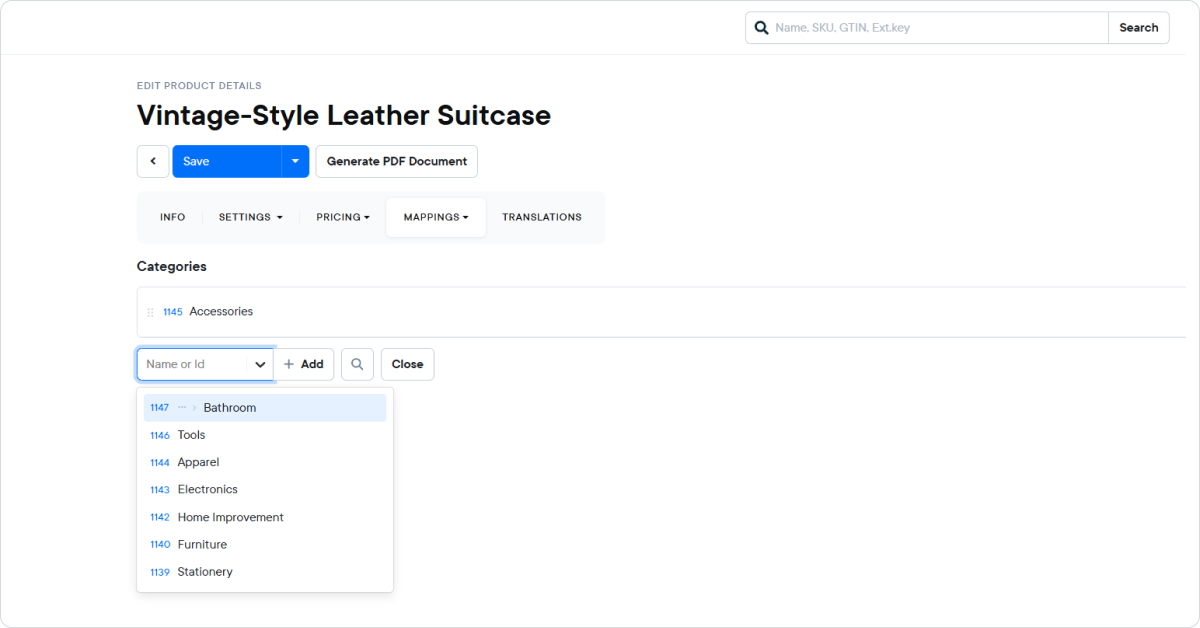
The product is now linked to the selected category.

